1
Install Form Deck & Pin to Toolbar
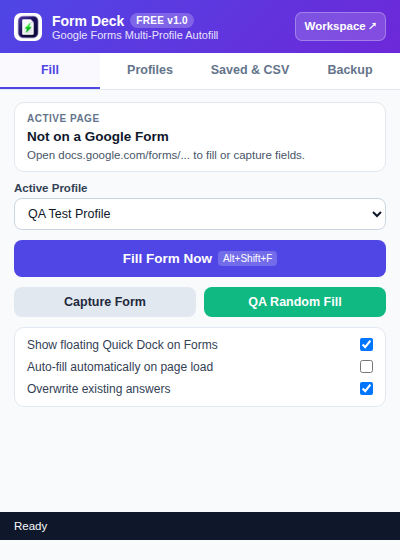
Install Form Deck from the Chrome Web Store (v1.0.0 Manifest V3) and click the puzzle icon in Chrome to pin Form Deck for 1-click access to the popup and Full Workspace.
Everything you need to set up profiles, capture multi-page forms, configure custom keyword/regex rules, and troubleshoot edge cases.
Install Form Deck from the Chrome Web Store (v1.0.0 Manifest V3) and click the puzzle icon in Chrome to pin Form Deck for 1-click access to the popup and Full Workspace.
The subtle Shadow-DOM Quick Dock appears in the bottom-right corner. Switch between Personal Starter and QA Test Profile or press Alt+Shift+F anytime.
Fill out specialized questions once (dropdowns, linear scales, checkbox grids), then click Capture in the Quick Dock or Popup. Form Deck saves answers by exact question ID and title so page 2 and page 3 replay cleanly later.
Open Profiles in the Popup or Workspace ↗ to add custom rules when a form uses unique question labels (e.g. pattern department → Engineering, or regex /^student\s*id$/i).
In Saved & CSV (or Workspace), upload/paste a CSV file whose column headers match question titles. Step row-by-row from the Quick Dock button CSV Row 1/N.
Form Deck includes 14 built-in smart fields that match both English and Vietnamese form labels automatically before you even create a custom rule.
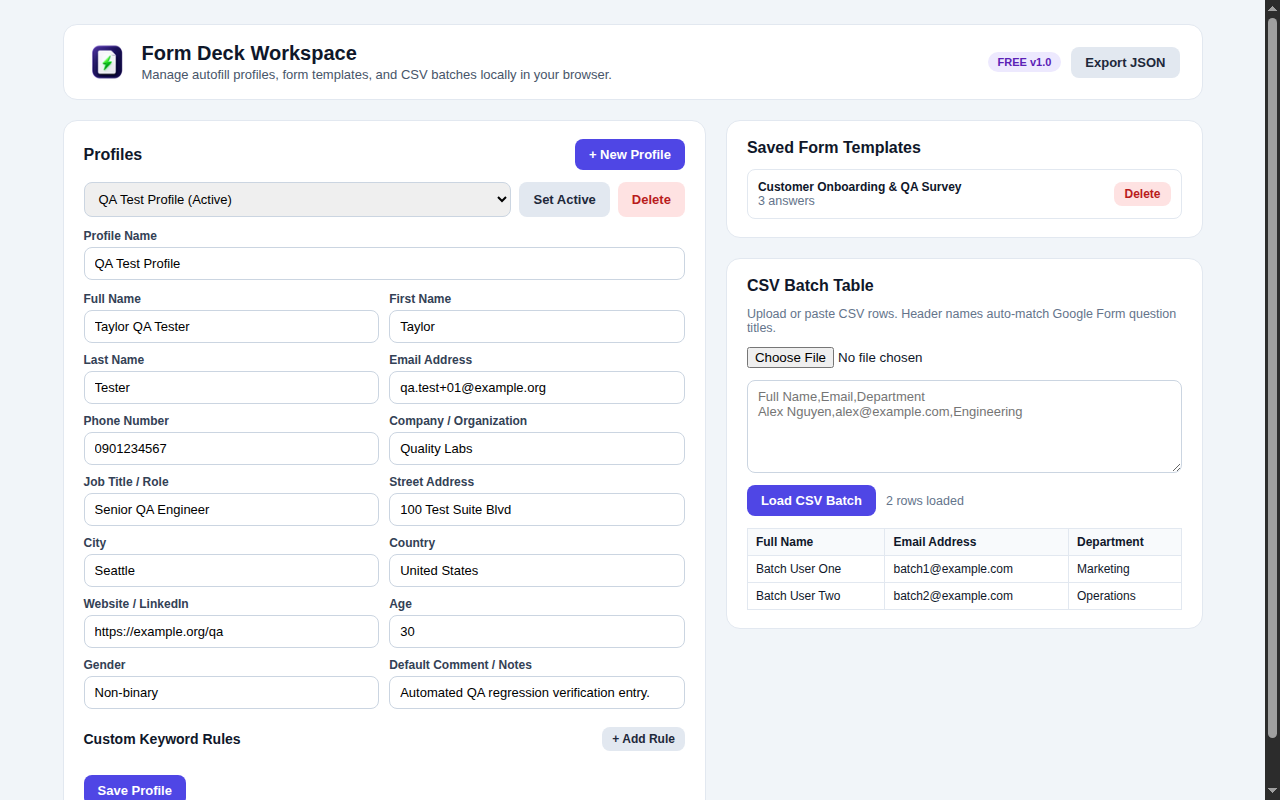
Recognized automatically across Google Forms without setup:
Quick fixes for the most common questions when testing Google Forms.
– button on the Quick Dock header to collapse it into a tiny pill, or uncheck Show floating Quick Dock on Forms inside the extension popup. You can still trigger autofill anytime with Alt+Shift+F.chrome.storage.local without cloud sync, click Export JSON in Workspace or the Backup tab to save a complete local backup file and import it on another browser for free.