
01
All 10 Google Form Control Types
Short text, paragraph, multiple choice (plus "Other" text input), checkboxes, async dropdowns, date, time, linear scale, multiple-choice grid, and checkbox grid.
Built for QA engineers, recruiters, educators, and operators tired of legacy autofill tools silently skipping Google Forms dropdowns, grids, and multi-page sections.
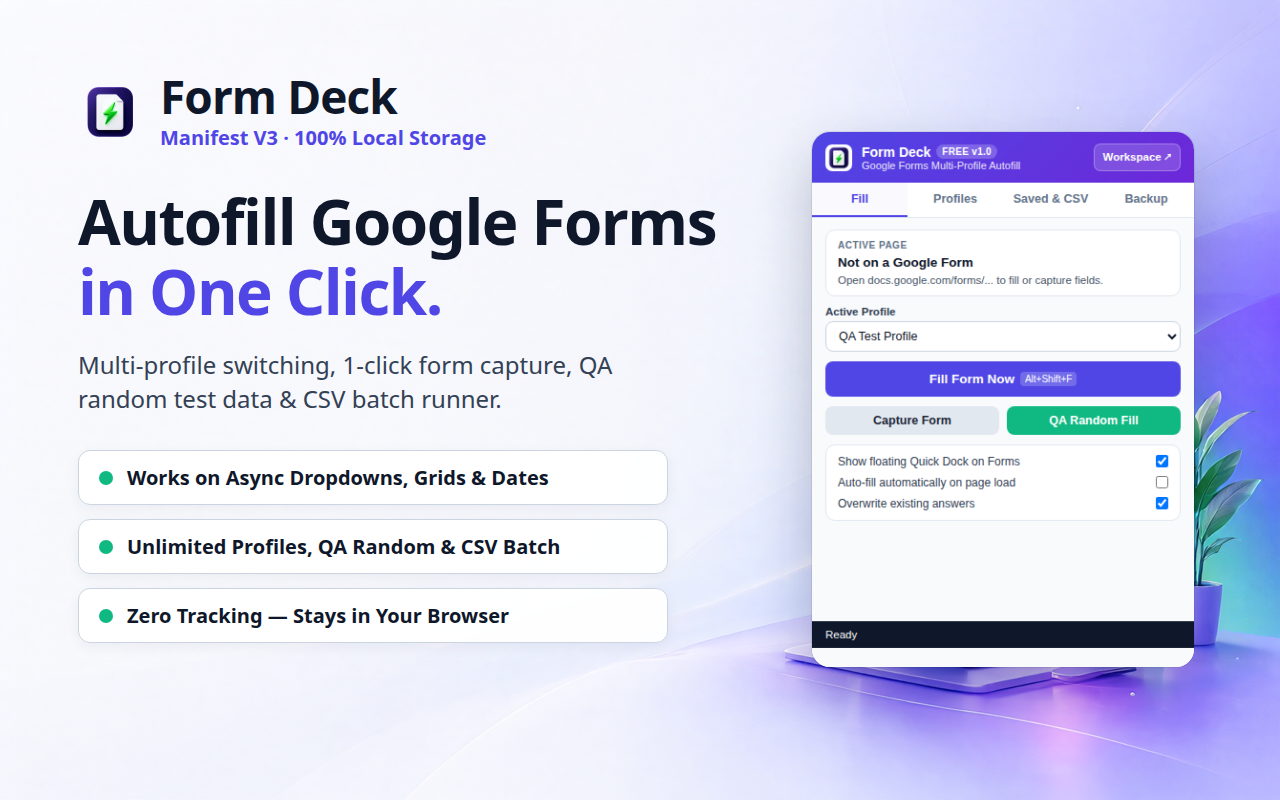
Switch profiles, run QA Random Fill, capture answers, or step through CSV rows in this live simulation of Form Deck's floating Quick Dock.
Live simulation demonstrating how Form Deck populates text, async dropdowns, radios, and linear scales cleanly.
Captured directly from Google Chrome running Form Deck across multi-page forms, async dropdowns, grids, popup tabs, and workspace tables.
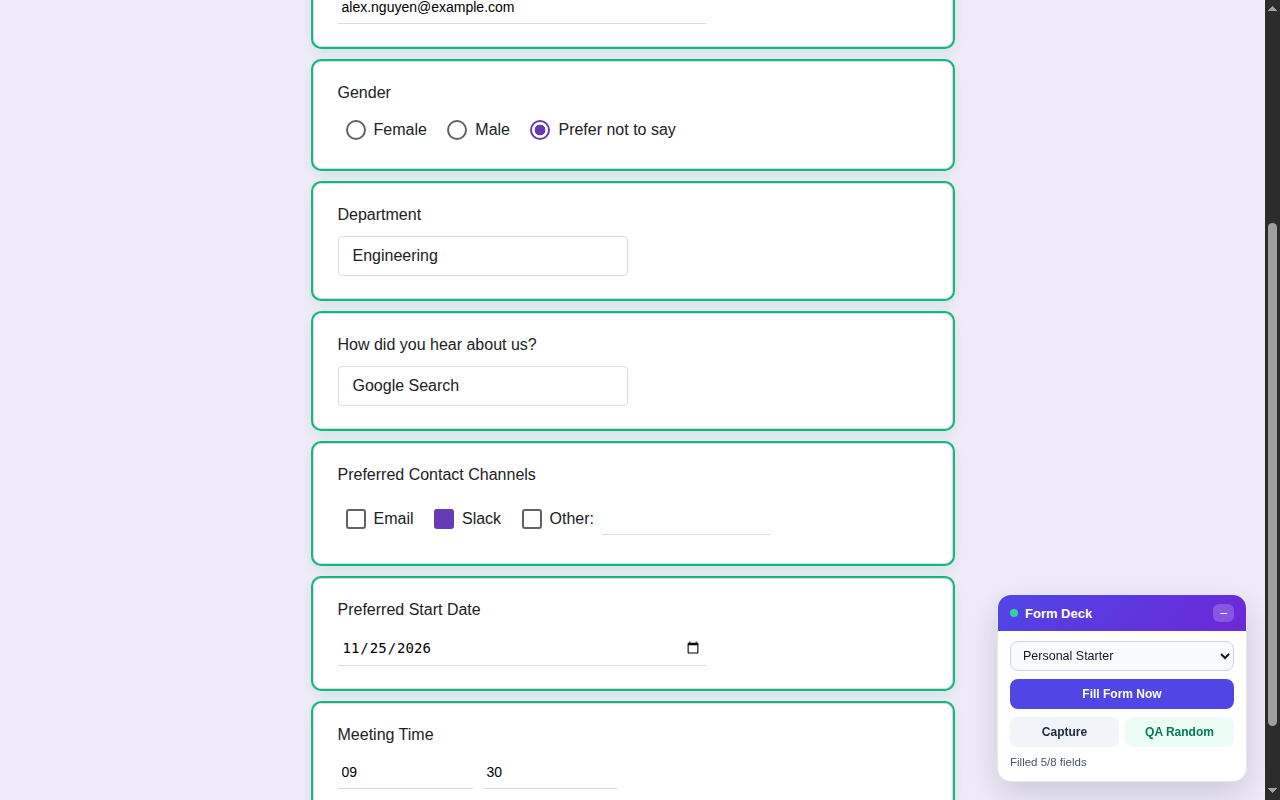
1. Page 1 filled cleanly (text, radio, 2 async dropdowns, checkboxes, date & time) with floating Shadow-DOM Quick Dock.
Most Google Forms autofill extensions stopped updating for modern Wiz/ARIA portals and Manifest V3. Form Deck is engineered from the ground up for real live DOM state.
| Capability | Form Deck (MV3 · 2026) | Legacy 3.2★ Autofill Tools |
|---|---|---|
Async Google Forms Dropdowns (role="listbox") |
Opens portal & picks matched option reliably | Skips silently or resets on Next/Submit |
| Multi-Page Sections, Linear Scales & Grids | Full support + per-question ID memory | Breaks across sections & grid rows |
| Multiple Profiles + Floating Quick Dock | Switch Personal / Work / QA in 1 click | Single flat profile or buried menu |
| QA Random Fill + CSV Batch Runner | Built-in (, ; Tab CSV auto-detect) | Not included or requires external script |
| Data Privacy & Permissions | 100% chrome.storage.local, zero tracking |
Often requests broad permissions or remote servers |
Short text, paragraph, multiple choice (plus "Other" text input), checkboxes, async dropdowns, date, time, linear scale, multiple-choice grid, and checkbox grid.
Fill a complex 25-question intake or QA form once, click Capture, and Form Deck saves exact answers by question ID and normalized title.
Automatically maps 14 standard fields (Name, Email, Phone, Company, Role, Address, City, Country, Age, Gender, Notes) across both English and Vietnamese forms.
Xem bản tiếng Việt →Populate required fields, valid emails, phone numbers, dates, scales, and grid rows in under a second to validate branching logic and submissions.
Explore QA workflows →Upload or paste CSV rows with automatic delimiter detection (comma, semicolon, or tab) and step row-by-row via the Quick Dock.
See Pro CSV Batch →Form Deck highlights filled fields with clean visual outlines so you always review every answer before clicking Submit yourself.
Read full User Guide →Start immediately with unlimited profiles, saved templates, QA random fill, and CSV batch runs for free in v1.0.0. Optional Team/Pro tools arrive in v1.1.
No account required. Zero external network requests.
Optional future lifetime license — no monthly subscription.
Everything you need to know about privacy, permissions, and Google Forms compatibility.
chrome.storage.local inside your browser.role="listbox" with dynamic option portals, role="radiogroup", and hidden state handlers). Setting input.value directly does not update Google's internal state. Form Deck triggers real pointer/input/change events and waits cleanly for async dropdown portals.